 By
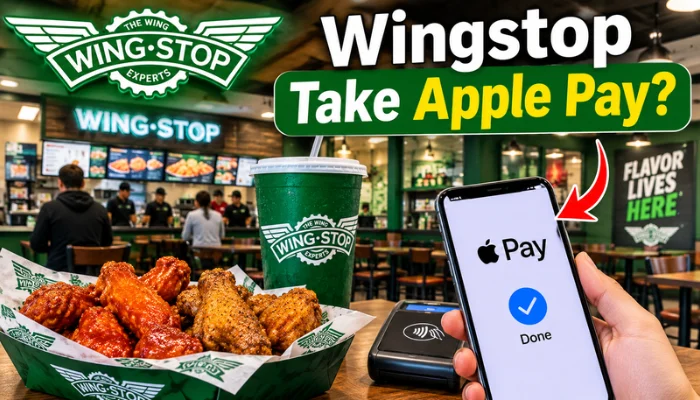
Wingstop take Apple Pay facts for 2026: US app, online, and in-store availability, PayPal comparison, $100+ order limits, and app error fixes.
Table of Contents
Quick Answer: Yes, Wingstop takes Apple Pay in 2026 through its U.S. iOS app and at participating franchise locations with contactless readers. There is no Apple Pay fee, and no $100 cap applies to standard Apple Pay or Apple Cash orders.
Does Wingstop take Apple Pay across every ordering method? This 2026 U.S. reference covers app, online, and in-store acceptance, Apple Cash limits, fees, refunds, and official fixes when checkout fails.
Does Wingstop Take Apple Pay In-Store, Online, and on the App?
Wingstop accepts Apple Pay in the U.S. iOS app, while in-store and online checkout options depend on each participating franchise location.
| Ordering Channel | Apple Pay Accepted? | Official 2026 Details |
| Wingstop iOS App (USA) | Yes | Confirmed in Wingstop’s official U.S. App Store listing. |
| In-Store (Register) | Varies by store | Works at locations with contactless payment symbols; no chain-wide list is published. |
| Online (wingstop.com) | Varies by store | Payment options display at checkout based on the selected store. |
Wingstop’s U.S. iOS app also lists PayPal, Venmo, and credit cards alongside Apple Pay. For shoppers weighing Wingstop Apple Pay vs. PayPal, both work in the U.S. app with no added payment-method fee, while only Apple Pay works for tap-to-pay at contactless store registers.
- Approximately 98% of U.S. Wingstop restaurants are independently owned franchises, so in-store register hardware differs by location.
- Some Wingstop stores, including the Dallas prototype on West Lovers Lane, operate 100% digital and cashless, making contactless or app payment required.
Does Wingstop Take Apple Pay for $100 Orders, Apple Cash, and Gift Cards?
Neither Wingstop nor Apple sets a $100 transaction cap on standard Apple Pay purchases in the United States. Every Apple Pay charge using a linked credit card, debit card, or bank account routes directly to your card issuer for approval.
Apple Cash balances also work anywhere Apple Pay is accepted in stores, apps, and on the web, subject to Apple’s official Green Dot Bank limits.
| Apple Cash Limit Type | Standard Verified Account | Apple Cash Family |
| Maximum Balance | $20,000 | $4,000 |
| Add Money (Per Transaction) | $10 min / $10,000 max | $10 min / $2,000 max |
| Add Money (7-Day Period) | $10,000 max | $2,000 max |
| Bank / Debit Transfer | $10,000 single / $20,000 per 7 days | $2,000 single / $4,000 per 7 days |
- Wingstop Gift Cards & Reloads: Wingstop sells physical gift cards in U.S. stores and e-gift cards online, with online reloads and balance checks at (800) 232-2020. Wingstop’s official gift card page does not state whether Apple Pay is accepted to buy or recharge a gift card.
- Club Wingstop Points: Purchases made with a Wingstop gift card do not earn Club Wingstop Points.
How to Pay With Apple Pay on iPhone at Wingstop
Paying with Apple Pay on an iPhone or Apple Watch takes three steps in the Wingstop app or at a contactless register.
In the Wingstop iOS App
- Select your U.S. Wingstop store, build your order, and open the checkout screen.
- Tap Apple Pay and switch cards if needed under Other Cards & Pay Later Options.
- Confirm your billing and contact details, then authorize with Face ID, Touch ID, or your passcode.
In-Store at the Register
- Double-click the side button on your iPhone (or the side button on Apple Watch).
- Authenticate with Face ID, Touch ID, or your passcode.
- Hold the top of your iPhone near the contactless reader until Done and a checkmark appear.
Wingstop Apple Pay Fees, Refunds, and Customer Service
Wingstop publishes no extra fee for paying with Apple Pay, though standard order fees and franchise refund rules still apply.
| Topic | Official 2026 Policy / Contact |
| Apple Pay Fee | None published by Wingstop; standard delivery, service, government fees, taxes, and tips may apply. |
| Order Refund Policy | No general Apple Pay refund timeline is published; canceled or refunded orders may remove earned Club Wingstop Points. |
| Web Support Form | wingstop.com/contact-us |
| Guest Experience Phone | (972) 686-6500 |
| Wing Pass Support | 1-800-905-4185 |
| Gift Card Balance Line | (800) 232-2020 |
Wingstop does not publish customer service operating hours or a direct support email address on its official Contact Us page.
Wingstop App Apple Pay Not Working: Official Fixes
When Apple Pay fails or shows an error during Wingstop checkout, Apple Support recommends checking your card issuer, device settings, and Apple Cash verification first.
| Issue | Official Fix |
| Card Declined at Checkout | Contact your bank or card issuer; Apple does not approve or decline Apple Pay transactions. |
| Card Won’t Add to Wallet | Update iOS, enable Face ID/Touch ID or a passcode, turn on two-factor authentication, and confirm issuer support. |
| Apple Cash Payment Error | Check Apple System Status, verify U.S. location and Wi-Fi/cellular connection, and check for account restrictions. |
| Apple Cash Verification Needed | Open Settings > Wallet & Apple Pay > Apple Cash > Verify Identity, or contact Green Dot Bank. |
Even if Apple Cash identity verification is pending for adding money, Apple Support confirms you can still spend an existing Apple Cash balance using Apple Pay in stores, apps, and on the web.
FAQ
Does Wingstop take Apple Pay at the drive-thru or counter?
Yes, at participating U.S. stores with contactless readers. Wingstop does not publish a store list, so look for the contactless symbol at checkout.
Can you use Apple Pay to buy or reload a Wingstop gift card?
Wingstop’s official gift card page does not state whether Apple Pay works for buying or reloading cards. Gift card purchases also do not earn Club Wingstop Points.
Does Wingstop take PayPal or Venmo if Apple Pay fails?
Yes. Wingstop’s official U.S. iOS app listing confirms PayPal, Venmo, and credit cards as accepted payment options alongside Apple Pay.
Why was my Apple Pay declined on the Wingstop app?
Apple routes all Apple Pay charges to your bank for approval. Check for card issuer blocks, outdated iOS software, or incomplete Apple Cash identity verification.
How do you contact Wingstop for an Apple Pay refund issue?
Submit the official Contact Us form on wingstop.com or call Guest Experience at (972) 686-6500. Wingstop does not publish a general Apple Pay refund timeline.